Every garment, accounted for.
Measurements, fabric, manufacturers, fittings and delivery in one system your whole business can read. Built for clothiers who keep their word.
- 10+years in business
- 40+years of combined industry experience
Generate the order and process the fabric — start to finish, in under a minute. Sign up today to have the video dropped to your inbox.
Own your data
Measurements, order histories, and status in one unified system — accessible anywhere, including your phone. It's yours, always.
Any supplier, no middleman
Work with unlimited manufacturers and fabric suppliers — including privately sourced production — and send orders directly.
Workflows made for custom
MTM-specialized CRM, order management, and operations tools that synchronize your front and back of house.
The central hub for every order your business touches.
One customizable system for all of a retailer's manufacturers, fabric purchase ordering, POS operations, and alterations — with detailed tracking, calendar, timers, and pipelines throughout.
- Slack
- ChatGPT
- Claude
- Connect your retail business to 8,000+ apps with personalized actions and schedules
- Use browser tools to auto-fill your manufacturer portals, with a manual review
- Pull status updates and shipping info from your email inbox and share them with your team across MTMPRO
- And much more…
What’s new
Chrome Extension
Auto-populate your manufacturer portal forms with one click using our new Chrome extension with AI. Remove the burden of data entry, while still seeing and reviewing your orders in your manufacturer’s portal in real time.
Google Cloud Backup
We’re giving you the one thing your manufacturer doesn’t want you to have… your data. Automatically back up your entire dataset to your Google Drive, including customer contact details, measurements, customer photos and the design details on every order.
Issue Management
An internal ticketing system to flag and manage operational issues. Track fabric outs, shipment delays and customer requests as open, in progress or complete. Assign owners and collaborators, and @mention anyone on your team to notify them. Updates automatically post to Slack.
Your AI coworker
Every made-to-measure shop runs on details: which fabric, which fitting, which mill, which need-by date. Aria puts all of it one request away.
Aria only sees what you see. Every answer comes from your own store's data: associates get answers about their clients, owners get the whole picture.
Teach it your statuses and terminology once, and every answer speaks your language.
Create orders and measure with your voice.
With voice control, you can build an order without touching the screen. Call out measurements as you take them, choose the garment, fabric and style options, and Aria fills in the right fields while you stay with the client.
Connect MTMPRO to ChatGPT and Claude.
- In ChatGPT, as an app
- In Claude, as a connector
Sign in with your MTMPRO login, and ChatGPT or Claude can look up any customer or order, add customers, change a garment's status or price, and mark orders paid, with the same access you have in MTMPRO. Add your inbox and a scheduled task in ChatGPT, and your manufacturers' updates reach MTMPRO without anyone typing them in. Add Google Drive, and every fabric order lands in your own spreadsheet.
Read the guide →Every weekday at 8 AM, check my inbox for updates from Hollis & Reed. Find each garment in MTMPRO by the manufacturer's reference number and update its status.
Done. Every weekday at 8:00 AM I'll read new emails from Hollis & Reed and update those garments in MTMPRO.
 Used MTMPRO
Hollis & Reed shipped 3 garments, so I updated them in MTMPRO:
- HR-241172265-1 · 2 Piece Suit · James CarterProduction…Shipped from Mfr
- HR-241182297-1 · Jacket · Edward BlakeProduction…Shipped from Mfr
- HR-241192297-2 · Trousers · Edward BlakeProduction…Shipped from Mfr
HR-24120 isn't on any garment in MTMPRO yet, so I left it for you to check.

The easiest sale is the one your client can already see.
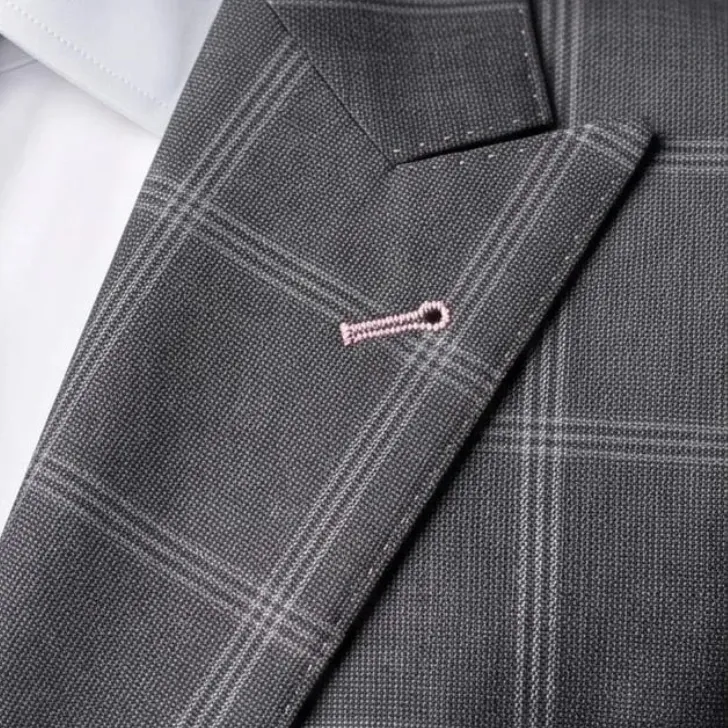
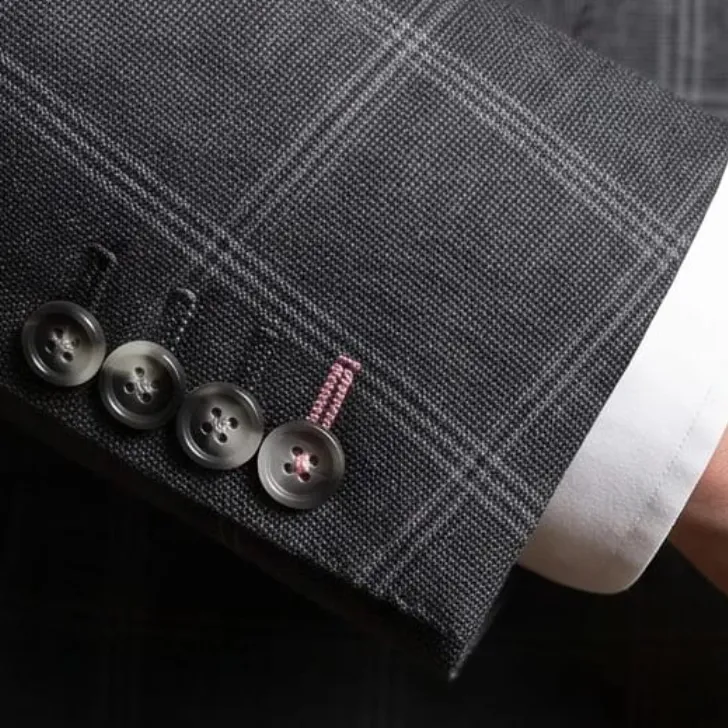
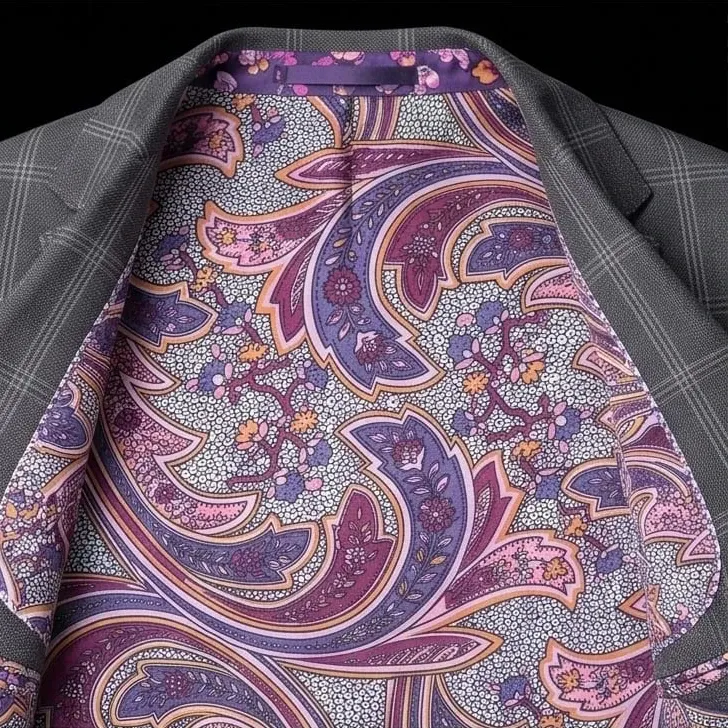
Studio-quality portraits of your own client wearing the garment on the order, in the fabric they chose and with every style detail you picked.





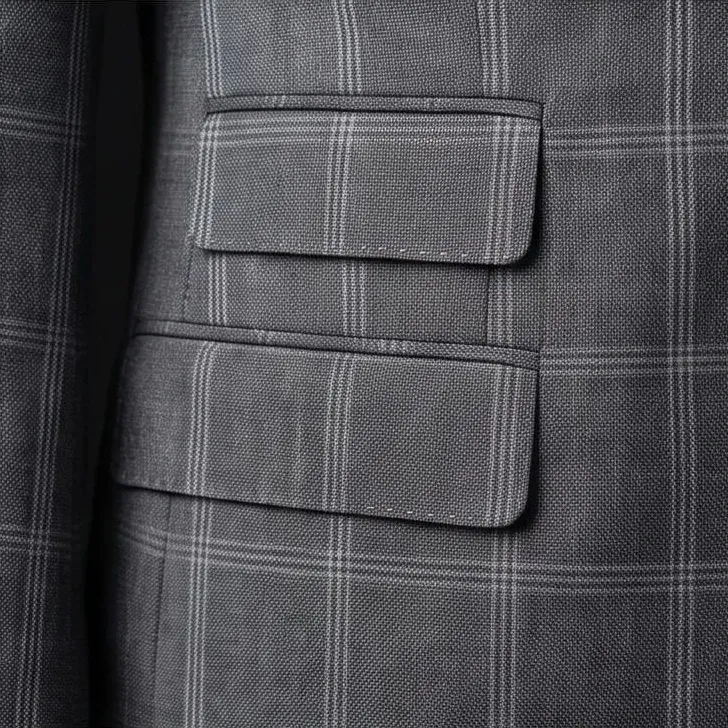
Anatomically accurate
Built from the client's measurement profile photos, so they see their real build, posture and face in the garment, not a model's.
Down to the stitch
From formal treatments and customer name labels to the exact pick stitching and button texture, every option saved on the order goes into the render.
Client lookbooks
Organize finished renders into lookbooks, then email or text them to your clients.
Custom prompts
Write your own prompt for the look, the outfit or the scene, or start from a curated preset. Then dial the look more casual or more formal with a slider.
Any fabric
Use a digital swatch image or a photo of the swatch book. Either way, the color, weave and pattern are the real ones, at the right scale on the garment.
Any garment, any maker
It reads the style details already saved on the order, with the manufacturer's own option pictures, whichever form it was written on. Nothing to retype.
Comprehensive reporting, made simple.
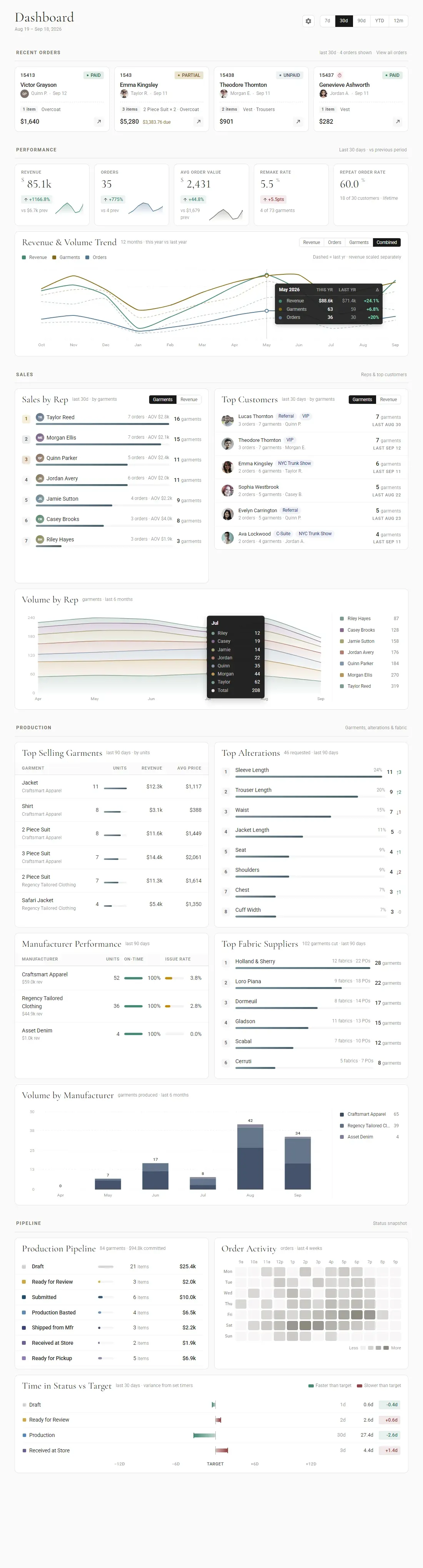
The dashboard example has been abbreviated for demo purposes. The full dashboard has many more reports.
Built around how a custom shop actually works.
Order Generation
Explore→- Custom order formsForms that mirror each manufacturer's own order sheet.
- manufacturer-specific orderingEach maker's fields, codes and rules built in.
- style templatesSave a house cut once, reuse it on any order.
- separatesJacket, trouser and vest sized independently.
- image/camera capturePhotograph cloth, notes or the client's own garment.
- catalog supportBrowse maker catalogs while you write the order.
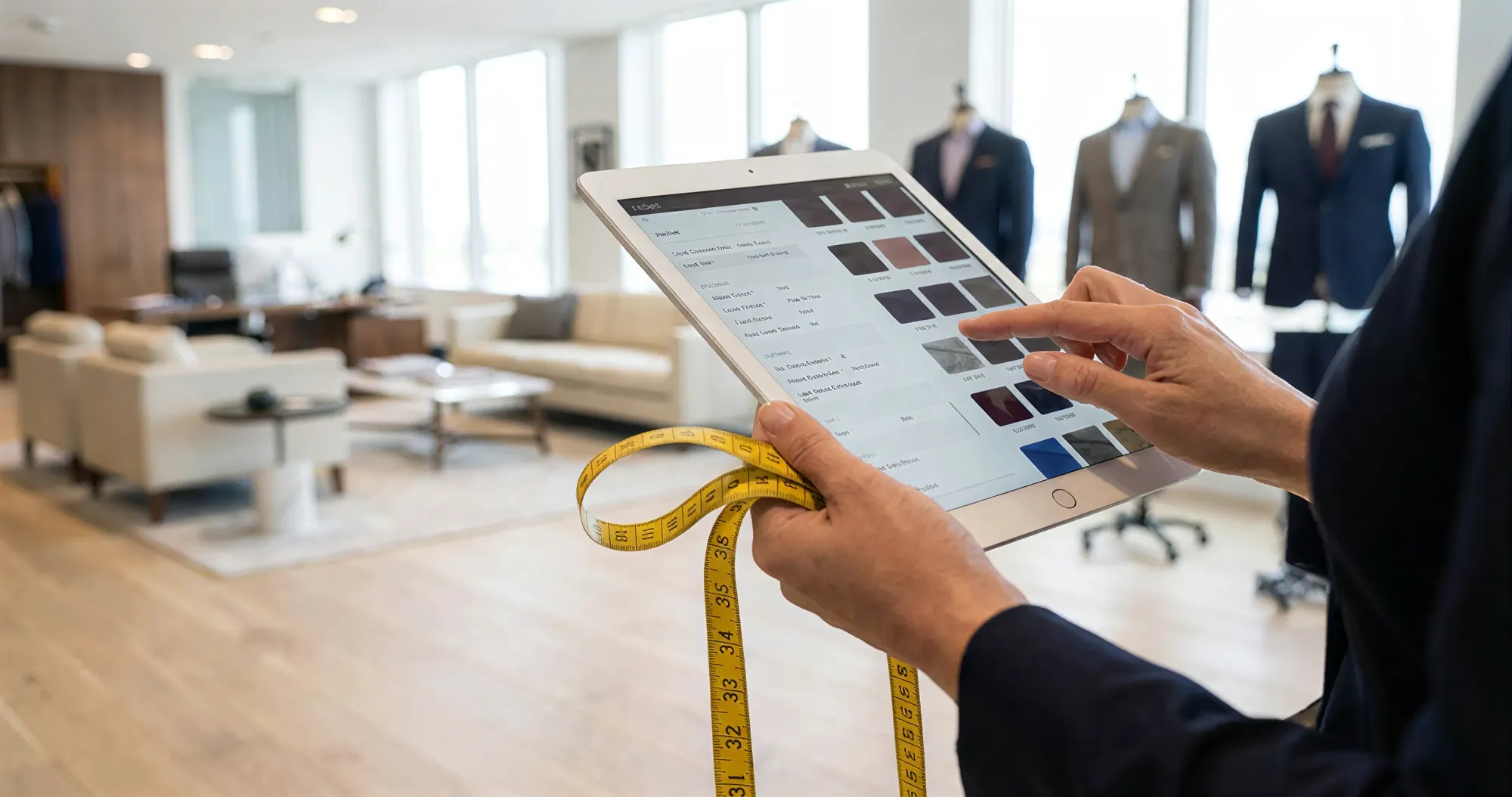
- touchscreen-friendly orderingLarge targets, built for a tablet on the floor.
Measurements & Fit
Explore→- Master measurementsThe customer's own numbers, kept in one place for every order.
- connected measurementsFill a maker's form from the master set instead of retyping it.
- measurement historyEvery change, who made it and the day they made it.
- fit profilesMultiple fit preferences for the same customer garment.
- try-on setsSize a customer from a sample garment they have tried on.
- allowance templatesHouse allowances applied the same way every time.
- custom measurement tabsGroup the fields the way your shop measures.
- min/max boundariesFlag a number that falls outside what the maker accepts.
- unit conversionInches or centimeters, converted as you type.
- basted fitting feedbackAdjustments, photos and alterations from the fitting, sent to the maker in one seamless workflow.
Production & Tracking
Explore→- Order status trackingWhere every order stands, without asking anyone.
- visual timelinesWho moved a garment, when, and why.
- production stagesYour own stages, named the way your shop names them.
- production timersHow long a garment has sat at the stage it is on.
- production calendarEverything due, laid out by date.
- saved filtersKeep the views you check every morning.
- order groupingKeep a wedding party or a multi-piece order together.
- custom metadataYour own fields on an order, for whatever you track.
- due dates / delivery visibilityWhat is promised and what is late, at a glance.
Alterations
Explore→- Alteration workflowsTake a garment through alteration without a paper ticket.
- alteration recordsWhat was changed, on which garment, by whom.
- fitting notesWhat you saw at the fitting, kept with the garment.
- alteration statusesTrack a tailoring job the way you track an order.
- garment-specific alterationsChanges recorded against the piece they belong to.
- post-delivery correctionsA garment that comes back gets its own record.
- alteration historyEvery past alteration for a customer, in one list.
- team handoff / assignmentHand a job to a tailor and see that it is picked up.
Fabric & Purchasing
Explore→- Fabric orderingOrder cloth for a garment without leaving the order.
- supplier routingEach cut goes to the supplier who carries it.
- purchase ordersRaise a purchase order and keep it with the garment.
- fabric consumptionHow much cloth a garment takes, counted for you.
- unit conversionsYards or meters, whichever the mill works in.
- one-off cutsBuy a single length for one customer's garment.
- fabric referencesMill, book and reference kept with the order.
- supplier informationContacts, terms and lead times for each supplier.
- automated or assisted purchasing workflowsRaise cloth orders automatically, or check each one first.
Team & Multi-Location
Explore→- Users and permissionsEach person sees what their role should see.
- multiple locationsRun more than one shop from one account.
- shared customer recordsA customer is the same customer at every location.
- cross-location workflowsStart an order in one shop, finish it in another.
- team assignmentsGive an order or a job an owner.
- review / approval processesCheck an order before it goes to the maker.
- document managementKeep files with the customer or order they belong to.
- centralized visibilitySee every location from one place.
- location-level operationsEach shop keeps its own day-to-day settings.
“After switching to MTMPRO, our business doubled in a matter of months. Their tools let us scale with minimal disruption.”

Don't waste another minute.
Time is the most valuable resource you have. Imagine what you could do with more of it.